> For the complete documentation index, see [llms.txt](https://docs.paintswap.io/llms.txt). Markdown versions of documentation pages are available by appending `.md` to page URLs; this page is available as [Markdown](https://docs.paintswap.io/paintswap-dapp-suite/sonic-airdrop-order-book/order-book-trade-airdrop-fnfts.md).
# Order Book - Trade Airdrop fNFTs
Paintswap Sonic Airdrop Order Book provides CEX like experience on-chain for trading your fNFTs. Sonic's unmatched speed makes this possible!
As with CEX order books, your buy and sells orders are closed as per the price priority.
## Trading Currency
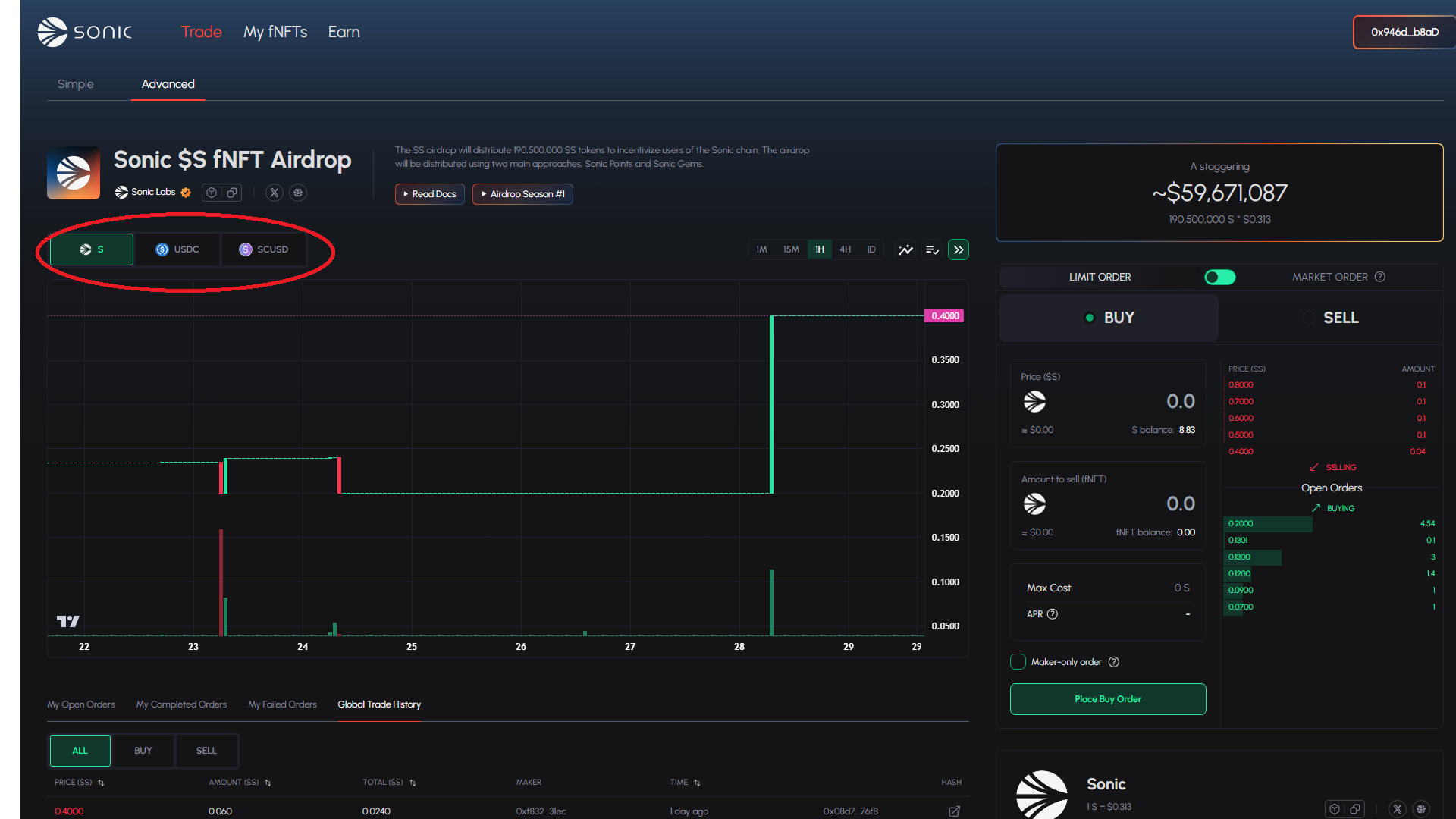
The Order Book lets you place orders in $S, $USDC and $scUSD based on your requirement.
## Order Types
### **Limit Orders :**
* A limit order allows you to specify the exact price at which you want to buy or sell your fNFT. The order is filled only if the market reaches the set price.
* Appropriate when you want price control and are willing to wait for execution.
### **Market Orders :**
* A market order executes immediately at the best available price based on the total set cost. The order is filled regardless of price fluctuations.
* Appropriate when you want quick execution of the order and willing to compromise on the price.
## Fees
Trading fee of 1% of the executed order value will be charged.
* **50% is used to** **buy back and burn $BRUSH**
* 3% is sent to all 2048 [Beardies](https://paintswap.io/sonic/collections/0x31911223bb3ff5b773af3e677fc0ac5760215e4e/)
* 1% is sent to all 2048 [Colorful Coal](https://paintswap.io/sonic/collections/0xfbdb4e2e7271f37714c4000814ce2487da57f925/)
* 46% is distributed between the DAO fund and main project contributors
## How to trade your fNFT
### Simple Mode
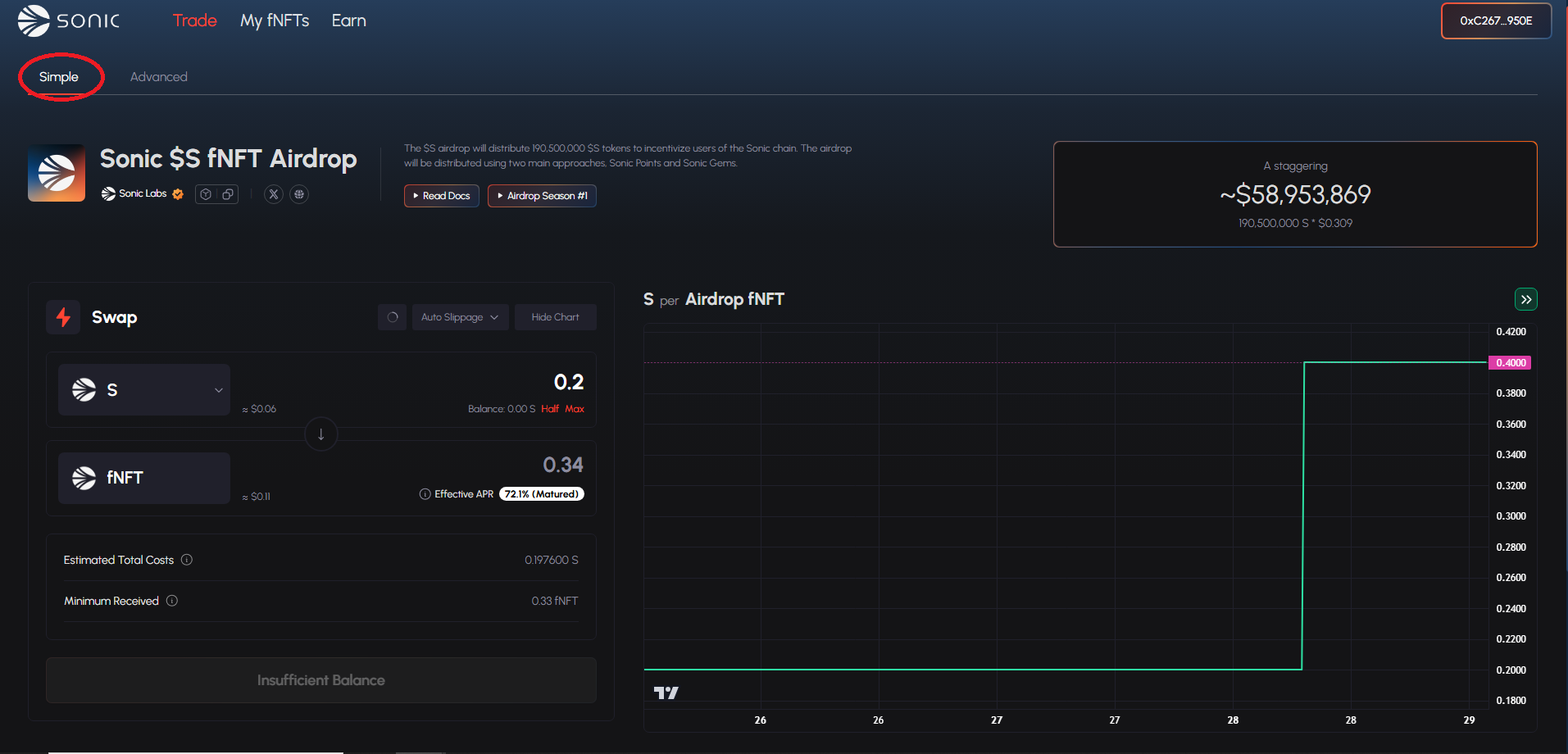
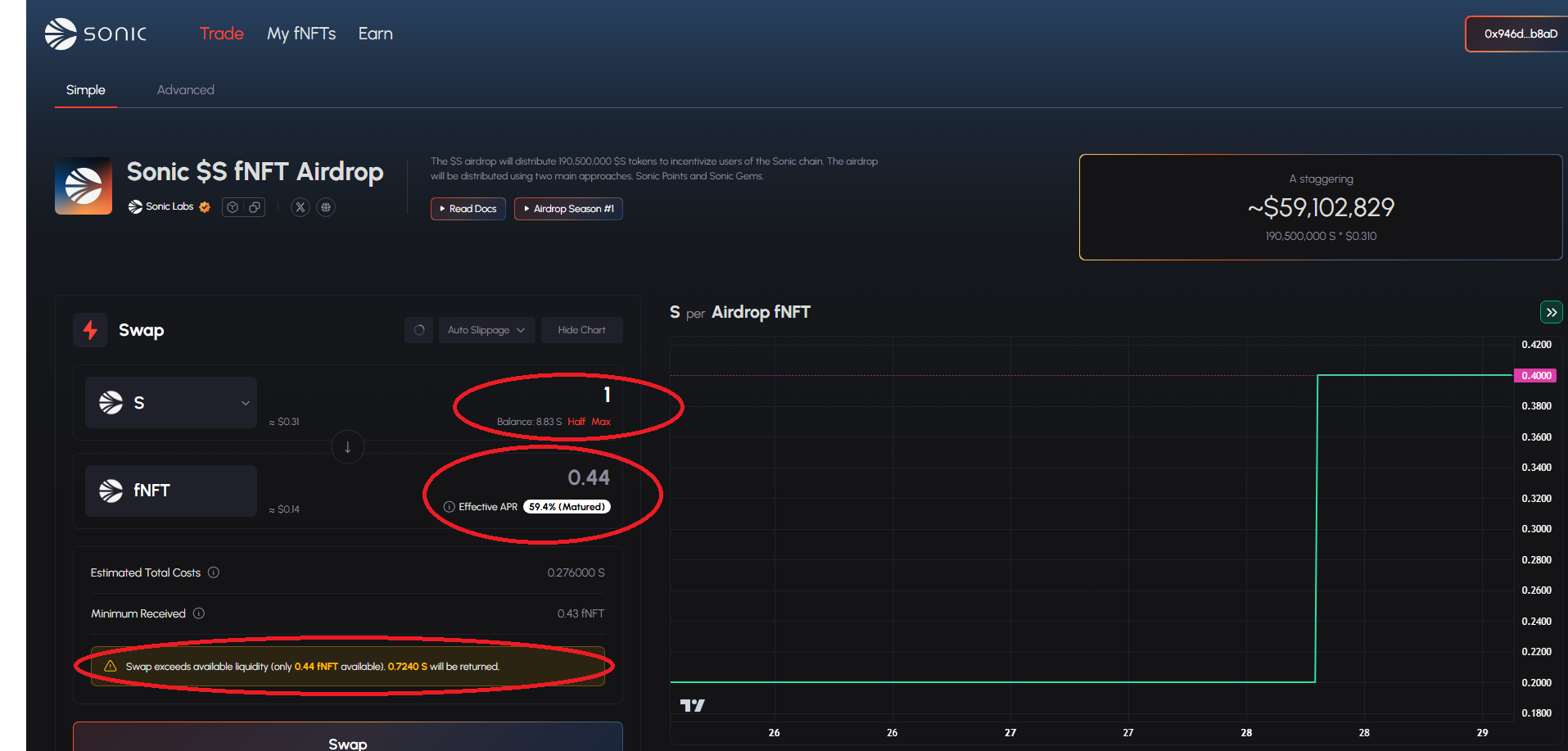
Simple trading mode provides DEX like simplified experience for buying or selling fNFT. Requested swap is executed as a market order against the available order liquidity.
#### Guide for trading fNFT through the simple mode:
{% tabs %}
{% tab title="1. Select Simple Mode" %}
{% endtab %}
{% tab title="2. Select Trading Currency" %}
**To Buy fNFT:**
**To Sell fNFT:**
{% endtab %}
{% tab title="3. Select and Review Amounts " %}
**Note**: Carefully review the estimated amount to be received! The amount is dependent on the current open buy/sell orders and may be highly volatile based on Order Book depth.
{% endtab %}
{% endtabs %}
**Effective APR** - This is the estimated APR considering the 100% unlocked value of fNFT you are buying
{% hint style="warning" %}
If there isn't enough Order Book liquidity for your trade, your swap will be executed partially. Remaining amount will be refunded
{% endhint %}
### Advanced Mode
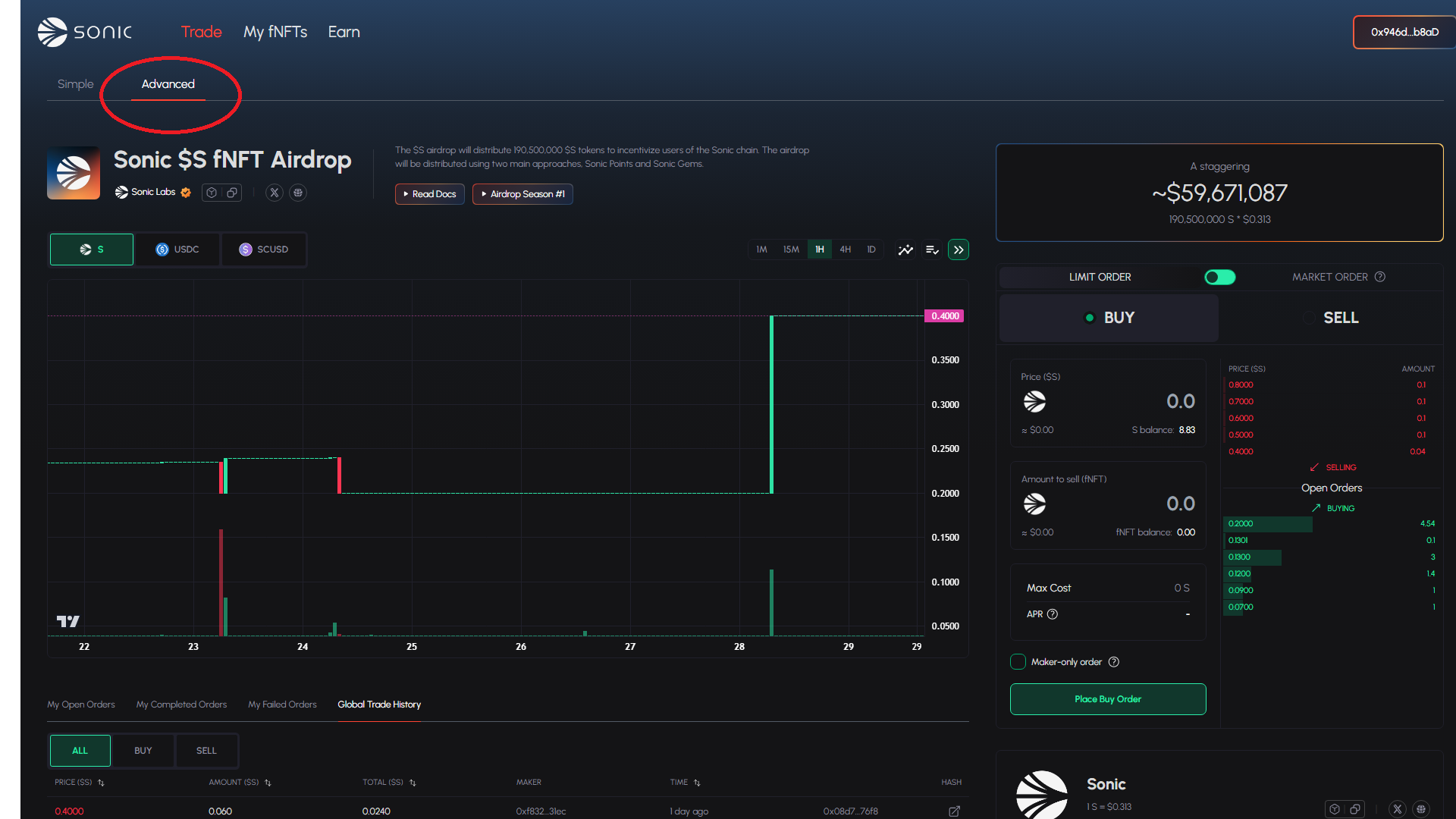
Advanced Mode provides more detailed Order Book experience.
{% hint style="warning" %}
Please review the Order Book depth and projected trade Quantity for Market Orders carefully before placing the order!
{% endhint %}
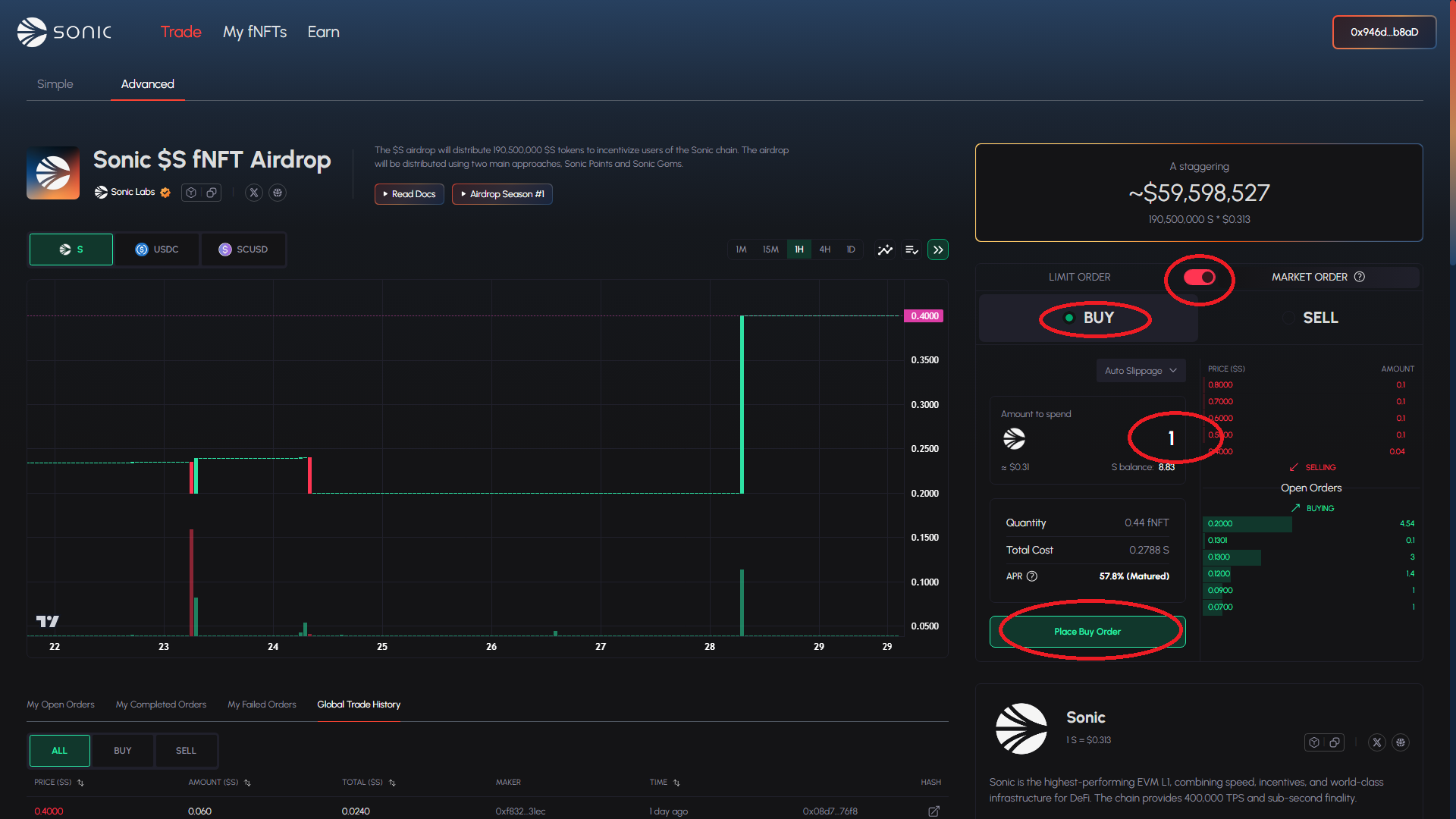
#### Buy orders:
1. Decide the trading currency and ensure that you have enough tokens in your wallet
2. Decide the type of order (Limit or Market) and select Amount and Price/Cost accordingly.
3. Place the Buy Order and sign the transaction.
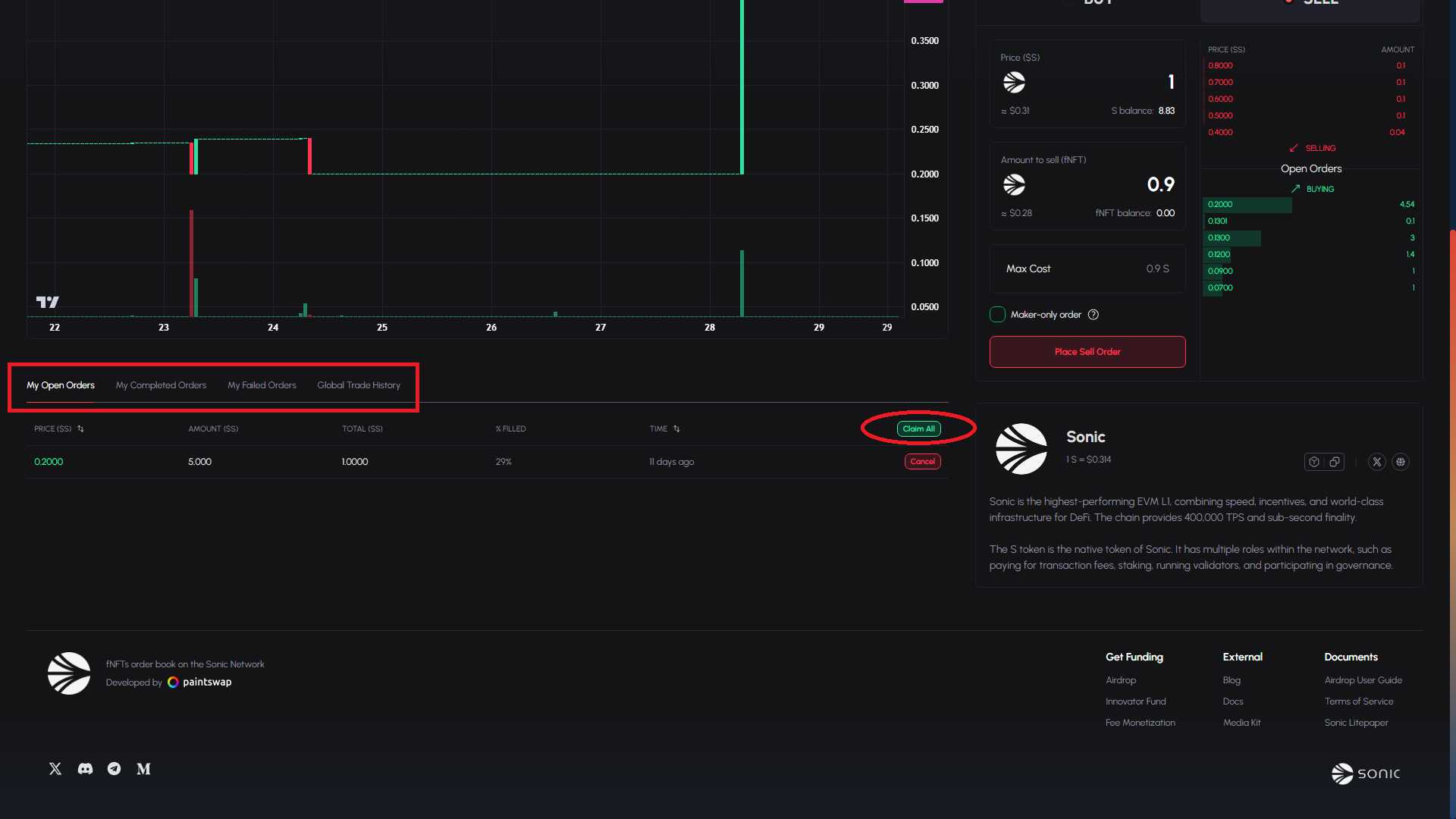
4. Executed orders will be listed in "My Completed Orders" and "Global Trade History". Open orders can be cancelled any time.
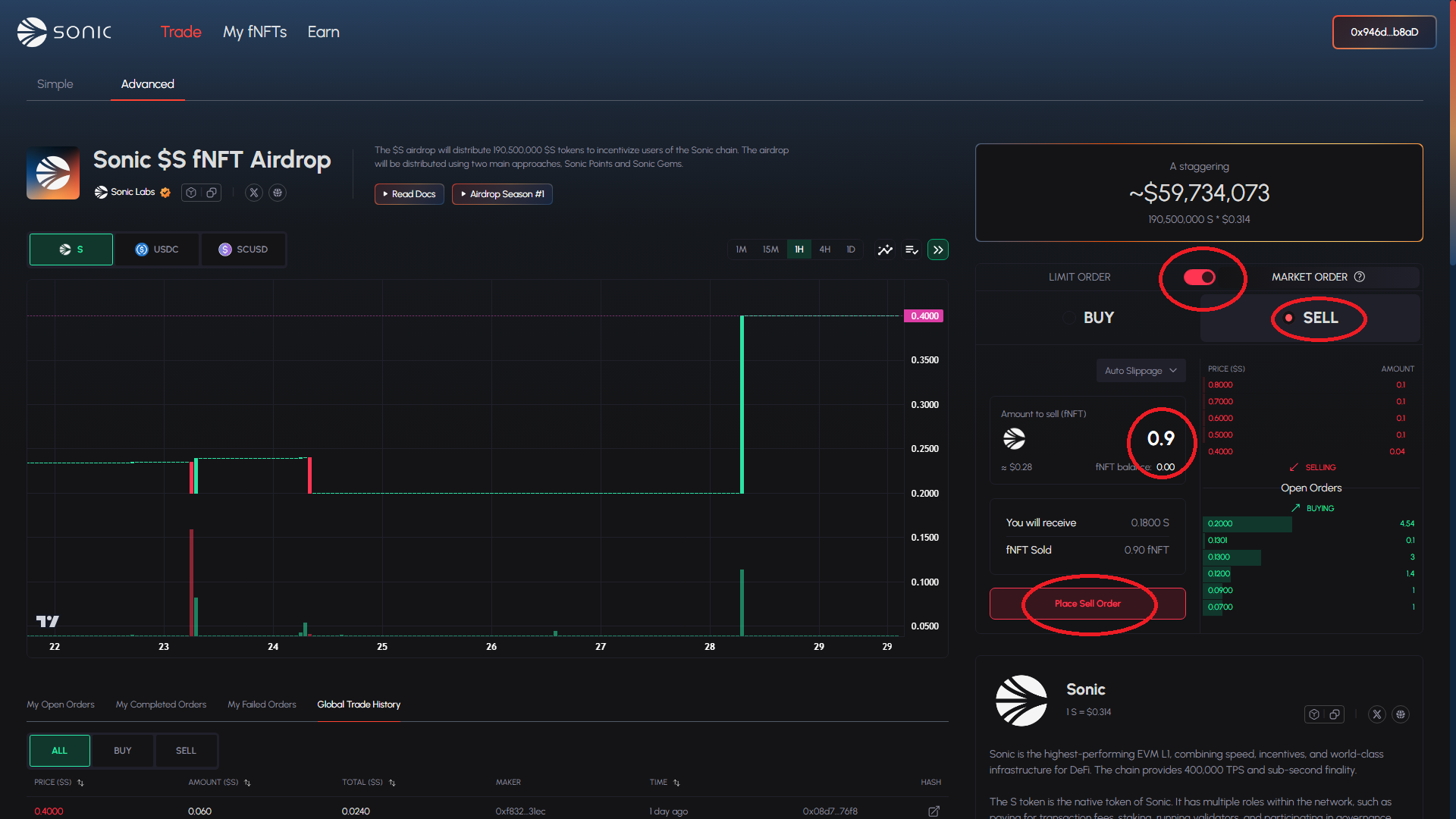
#### Sell orders:
1. Decide the trading currency. Make sure that the fNFT amount you want to sell is in your wallet.
2. Decide the type of order (Limit or Market) and select Amount and Price/Cost accordingly.
3. Place the Sell Order and sign the transaction.
4. Executed orders will be listed in "My Completed Orders" and "Global Trade History". Open orders can be cancelled any time.
5. Once the order is filled/executed, claim the traded amount through "Claim All" button in Open Order section.
**Order Book Glossary**:
* **Price** - The specific value at which you are willing to buy or sell the fNFT. In typical order book, this is also called as the **bid** (buy) or **ask** (sell) price
* **Amount** - The quantity of fNFT units involved in the order or trade.
* **Cost** - The total value of a order/trade, calculated as `Price × Amount`.
#### Guide for trading fNFT through the advance mode:
{% tabs %}
{% tab title="1. Select Advance Mode" %}
{% endtab %}
{% tab title="2. Select Trading Currency" %}
Decide the trading currency and ensure that you have enough tokens (for Buy Order) or fNFT (for Sell Order) in your wallet
{% endtab %}
{% tab title="3. Select Type of Order" %}
Decide the type of order (Limit or Market) and select Amount and Price/Cost accordingly.
{% endtab %}
{% tab title="4. Place Order" %}
Place the Order and sign the transaction.
**Buy**
* Limit:
* Market:
**Sell**
* Limit
* Market
{% endtab %}
{% tab title="5. Review Orders" %}
Executed orders will be listed in "My Completed Orders" and "Global Trade History". Open orders are listed in "Open Orders". Open orders can be cancelled any time.
Once sell order is filled/executed, claim the traded amount through "Claim All" button in Open Order section.
{% endtab %}
{% endtabs %}